Checklist · Overnight agents
Run an AI coding agent overnight: a checklist with approvals
The agent runs on your computer, not in a cloud. Your phone is the remote control. Here is what to set up before you walk away, and when to stop it.
An overnight run is a handover. You give Claude Code or Codex one bounded task, leave the computer awake, and check in from a phone. The checklist below is about setup, because setup is what you can still change at nine in the evening.
What "overnight" means here
Amble runs the coding agent, the project tools and the app on your computer. A paired phone sends requests, receives progress and can open the live preview. The phone does not run the work, and nothing keeps running if the computer sleeps or loses the network.
That last sentence is the whole risk. Plan for the host staying awake, and plan for what you will do if it does not.
Before you leave: the setup checklist
- The host. Awake, online and running Amble, with the project available.
- The agent. Claude Code (or Codex) connected on that computer, with readiness checked in Settings › AI & agents › Connections.
- The phone. Paired by the host owner with owner access. Pairing alone does not grant development access. App-only access shows the shared app without agents, source files or terminals.
- The preview. If you want to look at the running app from the phone, set up the project's startup command on the host first.
- The account. Check which provider account and model the conversation uses. Provider billing and usage limits are separate from Amble. Off-network previews use the host account's application relay allowance.
- The task. One bounded change with a check you can read in the morning. Name the files or the area, name the tests, and name what the agent must not touch.
Decide the approvals before you walk away
A coding agent's own permission flow decides what it asks to run. Read the command, the files and the scope before you approve. Allowed commands execute under the host account, and a prompt or a task mode does not grant permission.
For a Bot rather than a coding agent, the Tools list gives each tool two separate switches, Enabled and Ask first. Bot settings are preferences, not permissions: the computer decides what a Bot can actually do.
Keep the destructive work manual. Schema migrations, force-push, deletes and anything that touches credentials belong in a session where you are reading the output, not in a queue you will see at breakfast. If you would not approve it at two in the morning without reading it, do not approve it at nine.
If the host sleeps or drops off
A phone cannot continue through a host it cannot reach. When the connection fails, check in this order: power and sleep, network access, whether Amble is actually running, then retry.
Where Wake is available, configure Wake-on-LAN in the host's firmware and network adapter, then enable Allow remote wake in the host's Overview settings. The owner chooses whether owners can wake it, and app-only viewers are excluded. Pair while the host is online. Wake sends from a supported desktop or native client on the host's local network; a plain browser cannot send the packet, and a sent packet does not prove the computer is awake, so retry the connection.
Amble Cloud is a different thing, and it will not keep your home machine's session alive. It is a cloud computer included with Amble Pro (100 running hours per paid term, 10 GiB storage). Your files do not move on their own; you use Transfer work to send what you choose. If your main computer stays unreachable, Amble can reconnect you to the cloud computer, which is a separate machine with its own workspace.
How to check progress at two in the morning
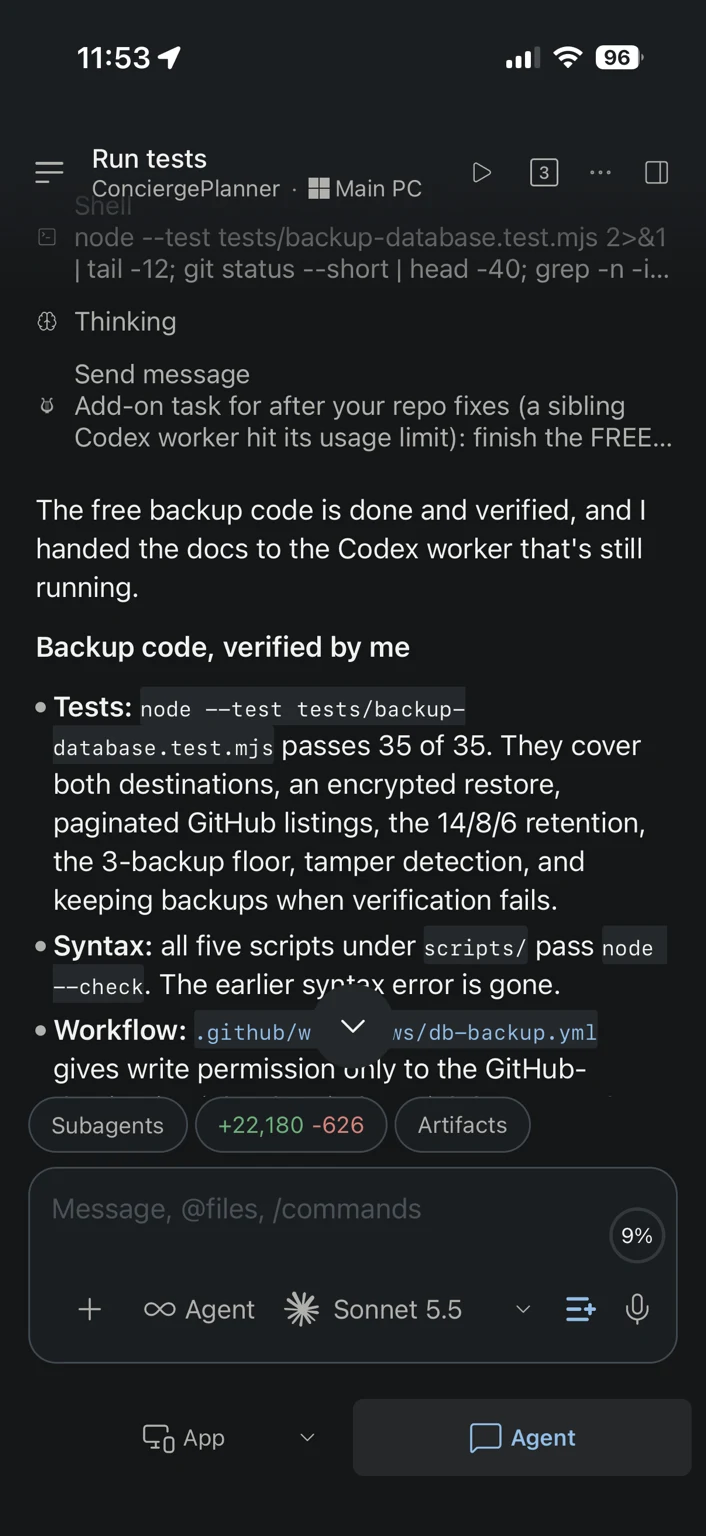
- Open your saved connection, pick the project in Library, then open the conversation. The phone shows the agent's progress and can open the live preview.
- Activity groups work into Needs your input, Ready to review and Working. Selecting an item opens the conversation. Opening Activity alone does not acknowledge anything, and agent attention and a running script are separate states.
- Permission requests, failures and terminal attention arrive as notifications immediately. Routine completions can be grouped into 5, 15 or 30-minute summaries. Changing how notices arrive does not acknowledge the work.
- A checked task or a finished agent tells you about progress. Verify the change in the app or in the tests before you trust it.
What to stop on
- A permission request you cannot read, or one that reaches outside the task.
- Edits outside the agreed scope. Open Changes and read the diff rather than the summary.
- The host unreachable, or the preview failing after a reconnect.
- Provider quota exhausted. Reconnecting the phone will not replenish provider usage.
To stop a turn, use the conversation's Stop control and inspect the resulting state. Closing the conversation or disconnecting the phone does not stop the agent, because the app and the agent have independent lifecycles. To remove the phone's access, the host owner revokes that device in Pair device. Uninstalling the phone client does not revoke access.
A task that survives the night
Write the request as if you were handing it to a colleague who leaves at six. A bounded example:
Add pagination to the orders list, 20 per page. Run the existing test suite and the type check. Do not change the database schema or the API response shape. Report the commands you ran and the files you changed.
It names the scope, the checks, the exclusions and the output. In the morning you read a diff and a test log instead of a story about what happened.
Try it for thirty minutes first
Run the same task while you are awake, from the phone, and stay with it for half an hour. You will find out whether approvals, notifications and the preview behave the way you expect. Then do the overnight run with the same task, not a bigger one.
How this checklist was checked
Every step comes from the shipped documentation for Claude Code from your phone, Connectivity, Activity, Notifications, Amble Cloud and Bots, read on November 24, 2026. The screenshot is the published phone-client image. Where Amble does not help, such as a host that is asleep, the checklist says so instead of promising a workaround.